
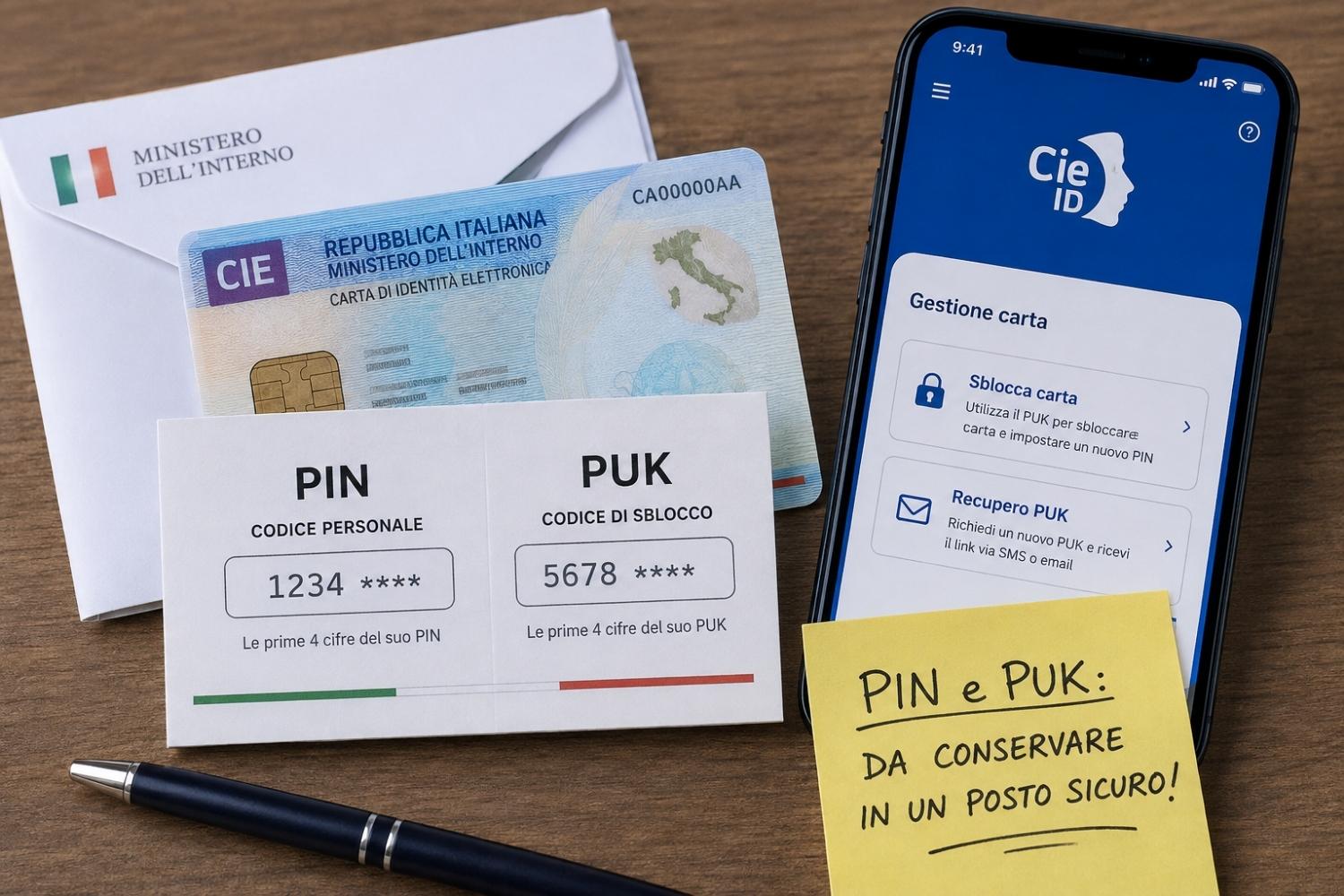
Two eight-digit codes, shipped in half, that decide whether your Electronic Identity Card works or should remain an unusable piece of plastic. It is the trap that many fall into when we discover that we have lost our PIN and PUK just when we need them, perhaps to access the INPS website, or that of the Revenue Agency. With the Spid gradually becoming paid, the CIE is establishing itself as a free alternative for accessing Public Administration services. But to really use it you need the two codes mentioned above.
What are PINs and PUKs and why are they needed
The Ministry of the Interior explains on the official CIE portal that PIN and PUK work more or less like the equivalents linked to the telephone SIM: the PIN enables access to online digital services, the PUK comes into play when the PIN is blocked (this happens after three consecutive wrong attempts) and allows you to set a new one. Both codes consist of eight digits and are delivered in two tranches, not all together. The first four digits arrive at the time of the request, printed on the receipt that the municipal operator delivers to the counter, the other four instead travel by post, together with the letter that accompanies the card when it arrives at home.
If you have lost your PIN
The simplest situation is that of those who still have the PUK. Just open the CieID app, available on smartphone stores, and enter the “Unlock card” section (sometimes reachable from “Card management”). Once you have entered the full PUK, the app allows you to set a new PIN.
If you have also lost your PUK
In this case the procedure takes a few more days. Anyone who has provided the Municipality or the Consulate, at the time of the CIE request, with a mobile number or an email address can use the “PUK recovery” function in the CieID app menu: you need a smartphone with an NFC reader, the serial number printed on the card (the one starting with CA) and the contacts indicated during the issuing phase. Once the request has been completed, the Ministry of the Interior indicates that after 48 hours an SMS or email will arrive with the link to complete the procedure and view the new PUK, to be used immediately afterwards to also set a new PIN. On the contrary, if you fail to communicate your contact details at your municipality, or if you are unable to remember them, you will not be able to complete the procedure from home. The only way remains to show up in person at the registry office, with a valid identity document, to ask for the codes to be reprinted and for your contact details to be updated, so as to be able to use the digital procedure in the future.
