
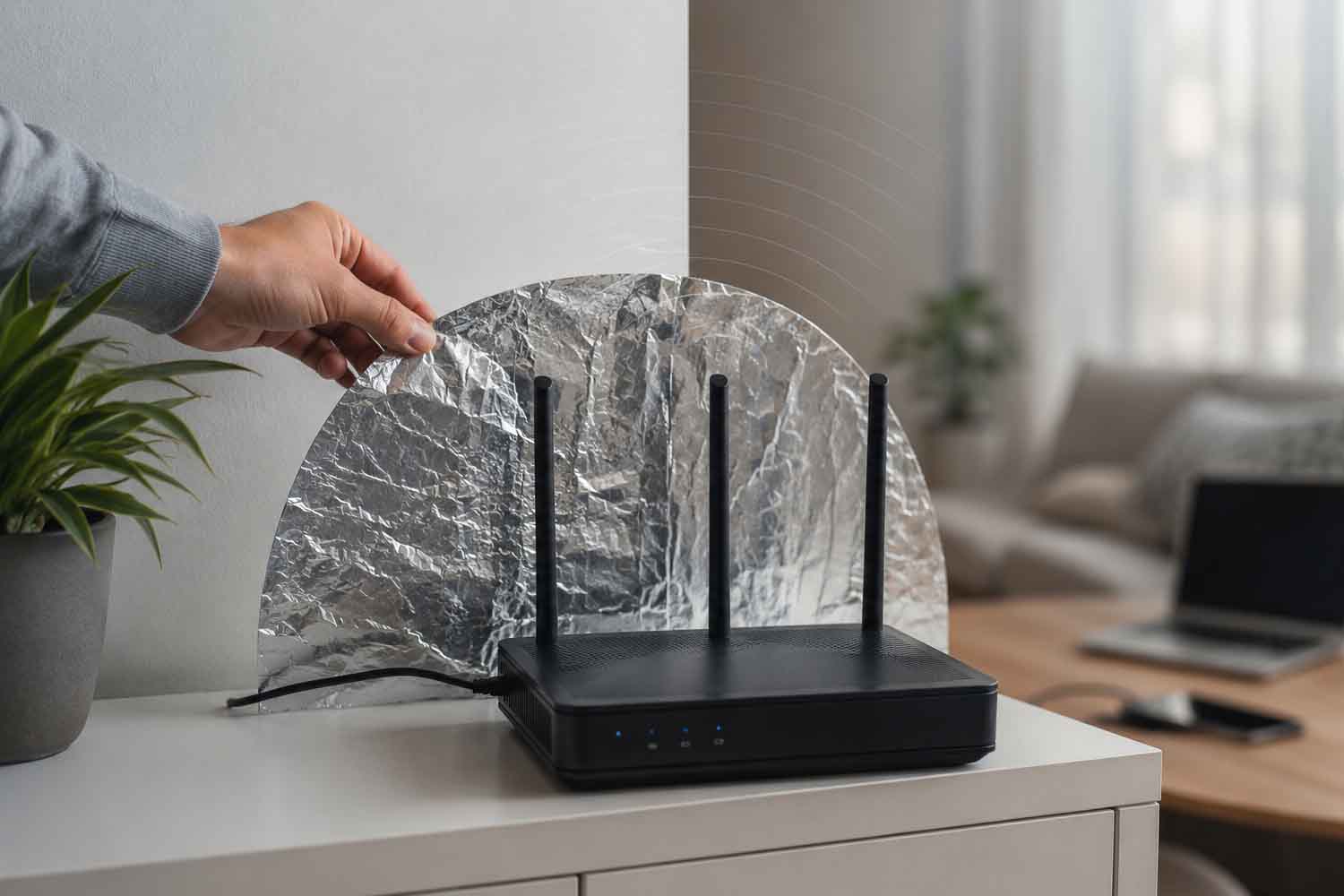
Take a piece of aluminum foil, fold it into a crescent shape and place it behind the router. At that point something rather strange can happen: the signal improves in the room where it was previously struggling. Or it gets worse on the other side of the house. Or he placidly continues to ignore our every effort.
The remedy that returns cyclically on social media cannot be dismissed with a yes or a no. Wi-Fi passes through walls, bounces off objects, encounters doors, furniture, aquariums and metal surfaces. An apartment is a kind of pinball machine for radio waves, with the difference that the invisible ball has to reach the phone while we are on a video call.
The aluminum foil tries to intervene precisely on these rebounds. It sounds like home emergency DIY, and often it is. Behind it, however, is the same physical principle used a few years ago by a group of researchers from Dartmouth College. With a lot more calculations and a lot less improvisation.
What happens to waves when they meet aluminum
Home routers generally transmit on the 2.4 and 5 GHz bands; the most recent models can also use the 6 GHz band. Each band reacts differently to obstacles, while metal tends to reflect radio waves and modify their path.
A curved surface placed behind the router can therefore behave like a rudimentary reflector. The transmitted power remains the same. What changes, when shape and position are favourable, is the quantity of signal directed towards a certain area.
Cisco’s Radio Frequency Technical Guide explains that a directional antenna focuses the energy received from the transmitter in a specific direction. Gaining coverage up front, however, narrows the area reached elsewhere. Aluminum foil attempts to achieve something similar with far less refined tools.
The difference can be useful when the router is located near an external wall and part of the signal ends up towards the landing, the courtyard or the apartment next door. Pointing the spotlight towards the interior of the house could recover some of that energy.
If the router has to cover rooms located in opposite directions, the matter becomes more complicated. The connection may be better on the couch and worse in the bedroom. The Wi-Fi is not multiplied: it is told where to go, hoping that it will cooperate.
The Dartmouth College study was much more than a folded paper
The link with scientific research exists, as long as it is not stretched to the point of transforming a laboratory test into the definitive tutorial for every home.
In 2017, a group led by Dartmouth College presented Customizing Indoor Wireless Coverage via 3D-Fabricated Reflectors. The system, called WiPrint, used the floor plan of the room and the location of the router to calculate the shape of a reflector suitable for the areas to be covered. The structure was 3D printed and covered with metallic material.
In tests, the optimized reflectors were able to increase the signal by up to 6 decibels in the chosen areas and reduce it by up to 10 decibels where the coverage was unwanted. In some configurations the transfer speed increased up to 55.1%. These are maximum values obtained in the environments examined, with specially designed shapes: not a guarantee to be attached to the roll kept in the kitchen drawer.
Dartmouth College’s official presentation also recalled previous experiments conducted with aluminum cans placed behind access points. Researchers tried to overcome the approximation by building customized surfaces. The geometry, evidently, was not a decorative detail.
A homemade sheet can randomly encounter a favorable shape and angle. It can also create unnecessary reflections or take away coverage from other rooms. To find out, a test is needed, possibly less scientific than the Dartmouth one but a little more serious than the classic “it seems to me to be better now”.
How to try makeup without distorting the result
The simplest way is to tape the sheet onto a piece of stiff cardboard, gently curve it and place it behind the router. The concave part must face the room in which you want to improve reception.
It is best to leave a few centimeters away from the device, avoiding contact with the antennas and air vents. Then you can measure the connection at the same point, with the same phone or computer and on the same Wi-Fi band.
A single test is of little use. Speed may change because other devices are using the network, the channel is congested, or the server chosen for testing is slower. Better to repeat the measurements before and after placing the sheet and check the other rooms too.
An improvement near the reflector accompanied by a worsening on the opposite side indicates that the sheet is actually modifying the coverage. If the values fluctuate without any discernible direction, we are probably just observing normal home network tantrums.
Modern routers further complicate the experiment. Many use multiple antennas, simultaneous streams and techniques beamforming to concentrate the transmission towards the connected devices. An improvised metal surface enters this system by altering reflections already exploited by the router, with outcomes that are difficult to predict without measuring them.
Wrapping the router is a completely different experiment
Putting a spotlight behind the device and packing the entire router like a jacket potato produce very different effects.
Wrapping it in aluminum hinders transmission in multiple directions and can cover vents needed to disperse heat. Google’s safety guide for Wi-Fi devices instructs you to keep your router and power supply properly ventilated during use. A high temperature can compromise the operation and life of the appliance.
Even placing aluminum directly on antennas or cables is an idea best left to videos where the result matters less than the views. The reflector must remain separate and be able to be removed immediately.
The most effective test may not require aluminum
Before rummaging through the drawers, it is worth looking at where we placed the router. Keeping it on the floor, locked inside a cabinet, hidden behind the TV or pressed against large metal objects reduces the quality of the coverage from the start.
Google recommends placing the router in plain sight, in a central area of the house and possibly at eye level. For a mesh network, the additional points must be close enough to communicate well with each other: bringing them directly into the room where the signal has already almost disappeared is asking them to repeat nothing.
Very thick walls, multi-story homes, and remote rooms often require a wired access point, a well-designed mesh network, or an Ethernet connection. Aluminum foil remains an economical, reversible and even interesting experiment.
It can divert a part of the Wi-Fi to the right place. To achieve this, however, it must be in the right position, with the right curvature, within a sufficiently collaborative home. Three conditions that a thirty-second tutorial understandably tends to forget.
