
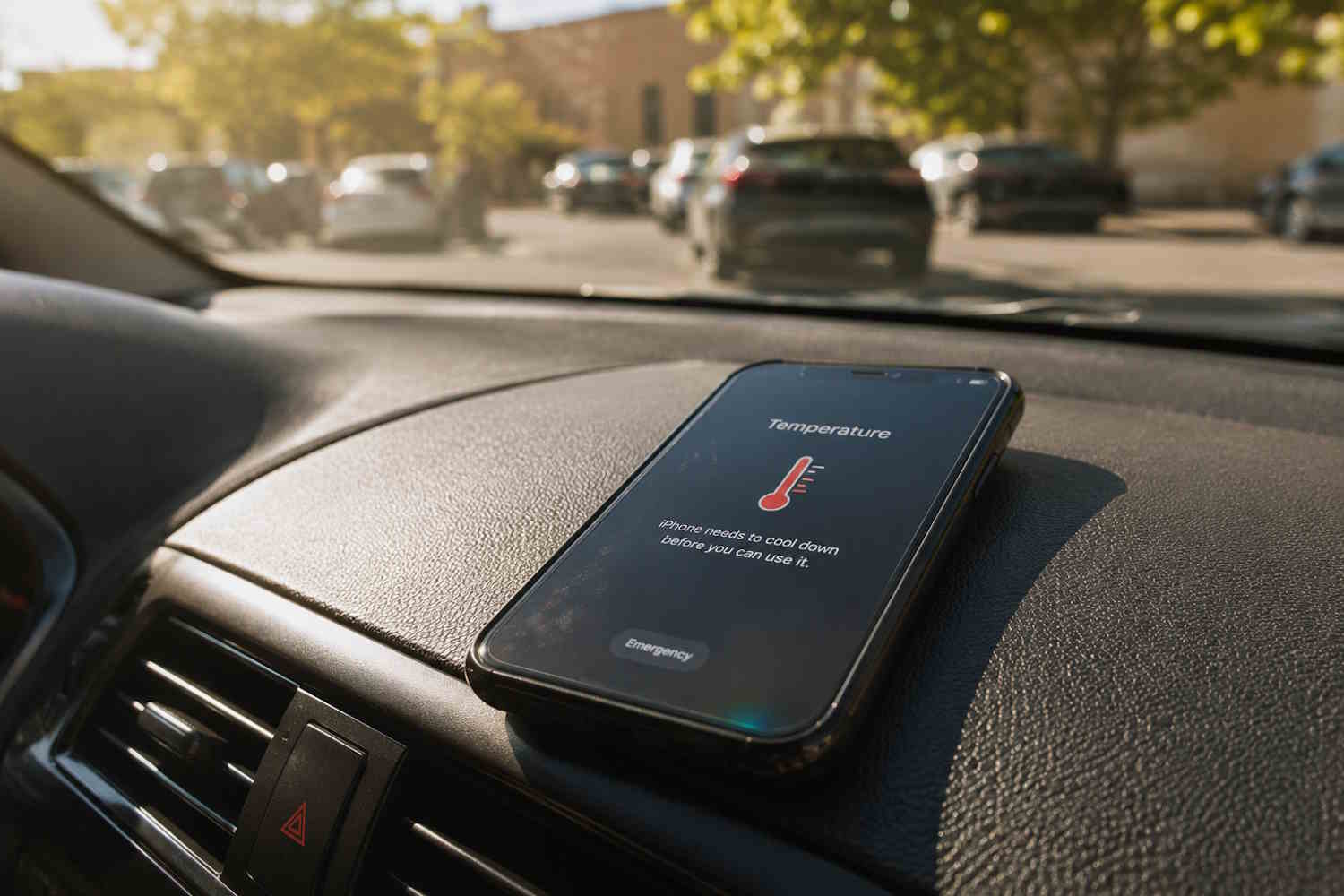
You know that moment well: take the phone in your hand and it’s hot. Or that warning appears on the display telling you that the device is too hot and is about to turn off. With summer temperatures continuing to break records, smartphone overheating has become one of the most searched tech issues online — and for good reasons. It’s not just about discomfort: a phone that heats up too much and too often can suffer permanent battery damage, data loss and, in the most serious cases, internal failures that are difficult to repair.
Why does this happen? Modern smartphones feature increasingly powerful processors and lithium-ion batteries that generate heat during use. When the external environment is already hot, the device is unable to disperse excess heatand if you add a GPS navigation session in the sun or a video call on the beach, the result is almost inevitable. The most recent research confirms that temperatures above 35°C can irreversibly degrade battery capacity, even in a few repeated episodes. It is therefore worth learning to prevent.
How to prevent your cell phone from getting hot
Preventing overheating doesn’t mean giving up using your phone in summer: it means using it more consciously. Here you are seven practical and updated tips to protect your smartphone from the heat.
Avoid direct exposure to the sun (even for a few minutes)
The classic summer mistake: leaving your phone on the dashboard of the car, on a table at the bar or on the beach under direct rays. Five minutes is enough for the internal temperature to rise to critical levels. If you’re outdoors, put it in a bag or backpack, cover it with a light cloth, or look for it in the shade. Also pay attention to metal surfaces such as railings and aluminum tables: they retain heat and transfer it to the device.
Remove the cover when the phone heats up
Silicone and hard plastic cases act as thermal insulators: excellent in winter, terrible in summer. If you feel your phone starting to heat up, remove the cover to help disperse the heat. Wait for it to return to normal temperature before putting it back. Some new generation covers are designed with breathable materials or with integrated heat sinks: if you are a user who uses your phone outdoors a lot, it could be worth the investment.
Close heavy apps and reduce active functions
3D games, video calls, 4K recordings, GPS navigation: these are all activities that put strain on the processor and GPU, generating heat. If the phone is already hot, suspend them. Close background apps, lower the display brightness and, if you don’t need a connection, turn on airplane mode. Also turn off Bluetooth and Wi-Fi when you’re not using them: every radio turned on is an extra source of heat.
Charging in cool environments and stopped at 80%
Charging is one of the phases in which the phone produces the most heat, especially with high-power fast charging becoming increasingly popular. In the summer, avoid charging in a car parked in the sun or in overheated rooms. Use certified chargers and, when possible, unplug the phone around 80% charge: this is the level above which the battery works under greater thermal stress. Many Android smartphones and iPhones now allow you to set an automatic charging limit for this very reason — if yours allows it, use it.
Do not use rapid cooling methods
Putting the phone in the freezer, blowing cold air with the air conditioner directly on the body or immersing it in cold water: these are do-it-yourself remedies that do more damage than the heat itself. Sudden temperature changes generate condensation inside the device, with the real risk of short circuits and damage to the electronic components. If your phone is overheated, turn it off, remove the cover and let it cool naturally in a ventilated and shaded environment.
Activate power saving mode in advance
Almost all modern smartphones have a power saving mode that limits processor performance, reduces brightness and disables non-essential functions. These modes not only extend the autonomy, but significantly reduce the heat produced. If you know you’ll be spending hours outdoors in the heat, activate it before your phone starts to heat up: it’s much more effective as a prevention than a remedy.
Keep your operating system up to date
It’s the least obvious tip, but one of the most effective. iOS and Android updates often include thermal and battery management optimizations. Some known bugs cause abnormal resource consumption — and therefore overheating — which is resolved with subsequent patches. Keeping the system updated means always having the most efficient version of your device’s energy management.
A little effort to protect a big investment
Your smartphone accompanies you every day: it helps you work, stay in touch with those you love and capture moments that never come back. A little extra attention during the warm months can make the difference between a battery that lasts for years and one that loses capacity in just a few seasons. Taking care of your device also means taking care of your data and your peace of mind.
When the heat arrives, think of your phone as a traveling companion who needs some shade, air and respect. It doesn’t ask much of you — and in return it will give you better performance, longer.
